Each library has its own rules for how long books go out and how many a reader can have. It's worth setting these before you lend your first book. The rules apply everywhere, at the desk and on kiosks, and staff can't override them for one loan.
Change the rules
Select your library's name at the top of the left menu, then select Manage Libraries.
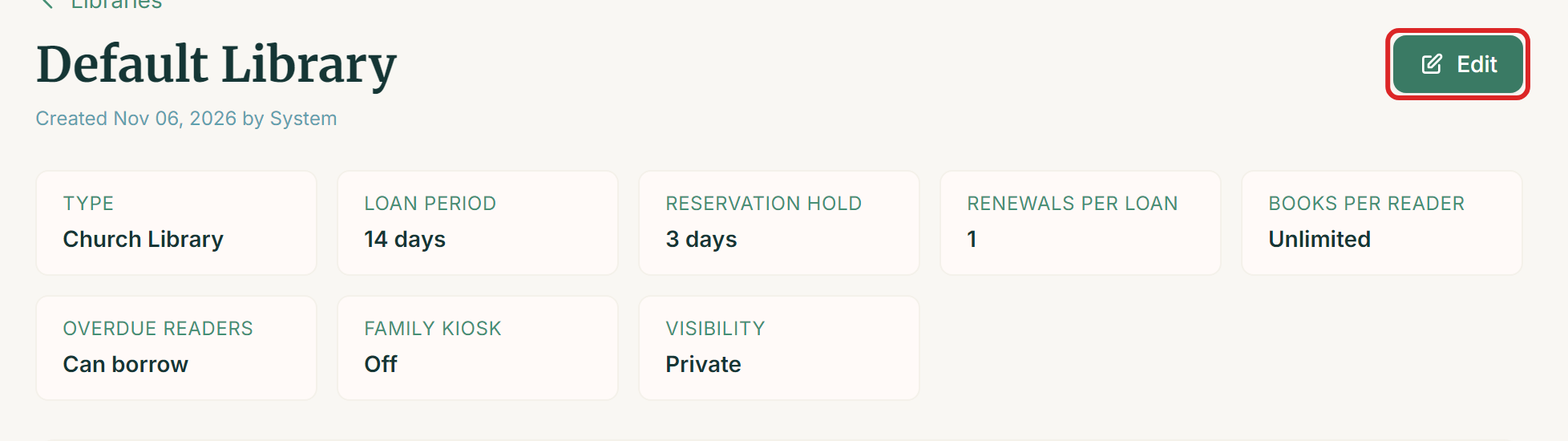
Select your library in the list. Its page shows your current rules across the top.
Select Edit.
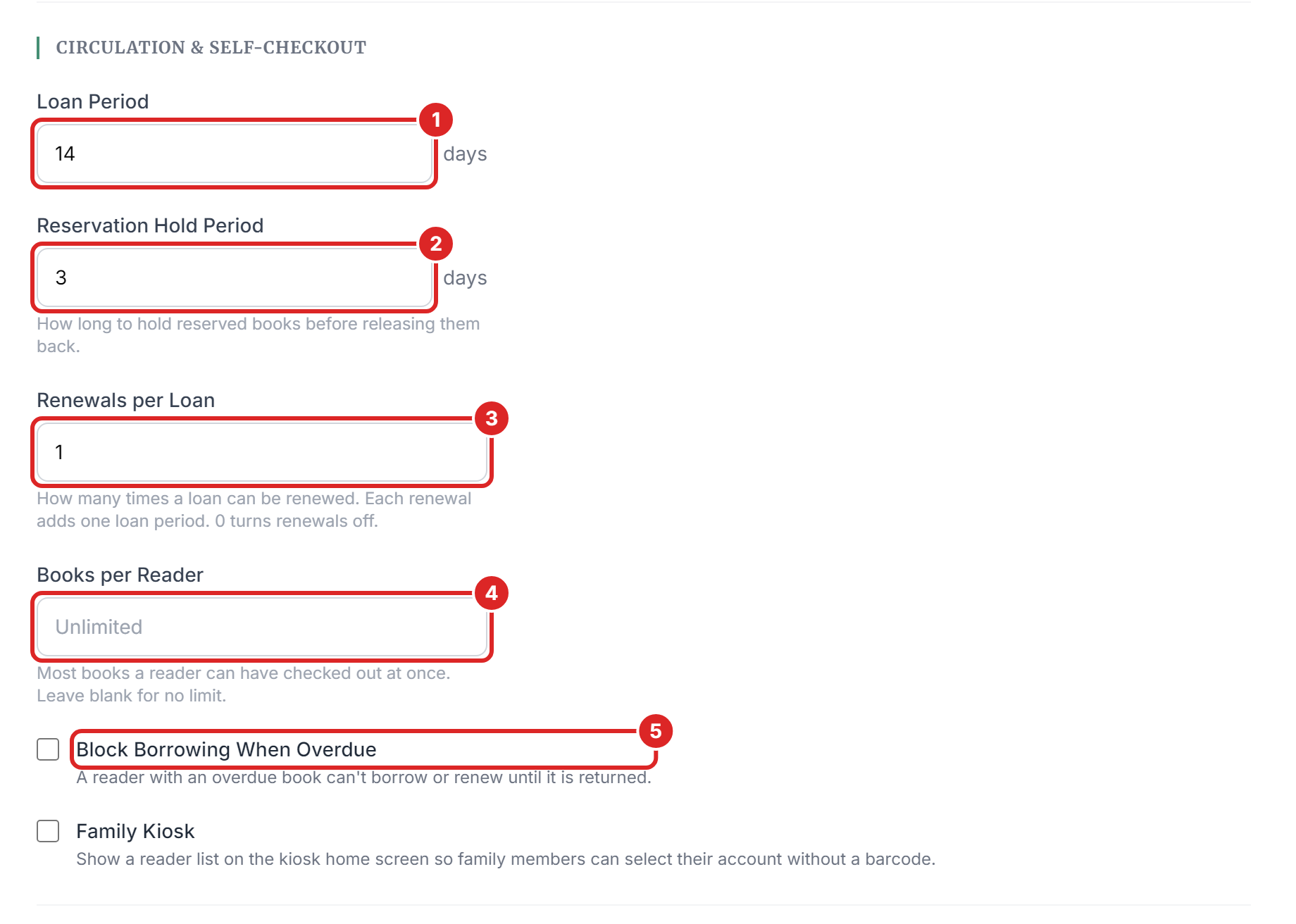
Scroll to Circulation & Self-Checkout and change what you need. The numbers in the picture match the list under it.
Select Save Changes.
What each rule does
- Loan Period is how many days a reader keeps a book, from 1 to 365. New libraries start at 14 days.
- Reservation Hold Period is how many days a reserved book waits for the reader before it's released, from 1 to 30. New libraries start at 3 days.
- Renewals per Loan is how many times a loan can be renewed, from 0 to 10. Each renewal adds one loan period. Use 0 to turn renewals off. New libraries start at 1.
- Books per Reader is the most books one reader can have at once, from 1 to 100. Leave it blank for no limit.
- Block Borrowing When Overdue stops a reader from borrowing or renewing while they have an overdue book. It's off for new libraries.
Family Kiosk is in the same section. It shows a list of names on your kiosk, so that family members can tap their own instead of scanning a card. It's available on the Library Lover and Bibliotheca plans.
When changes take effect
New rules apply from the moment you save, but they don't rewrite existing loans.
- A new Loan Period applies to new loans and renewals. Books already out keep their due date.
- A lower Books per Reader doesn't take books away from anyone. A reader over the new limit just can't borrow more until they're under it.
- A new Renewals per Loan counts for loans already out, so a reader might get another renewal, or lose one.
- Block Borrowing When Overdue applies straight away to anyone who has an overdue book.
If you manage more than one library, check the library name at the top of the left menu. Each library keeps its own rules.
If something goes wrong
- "Please correct the highlighted fields." One of the values is outside the allowed range. Look for the red message beside the field.
- "Something went wrong while saving the library." Your changes weren't saved. Try again, and contact us through Support if it keeps happening.
- The Family Kiosk option is greyed out. Your plan doesn't include it. You can upgrade under My Subscription.
- You can't see your library, or there's no Edit button. Only that library's administrators can change it. Ask the library owner to add you.
- A reader's due date looks wrong. The due date is set when the book is lent. Check whether the rule changed after that, and renew the loan if the reader needs more time.