Add someone as a reader before they borrow their first book. You only need a name and an email address, and it takes about a minute.
Add the reader
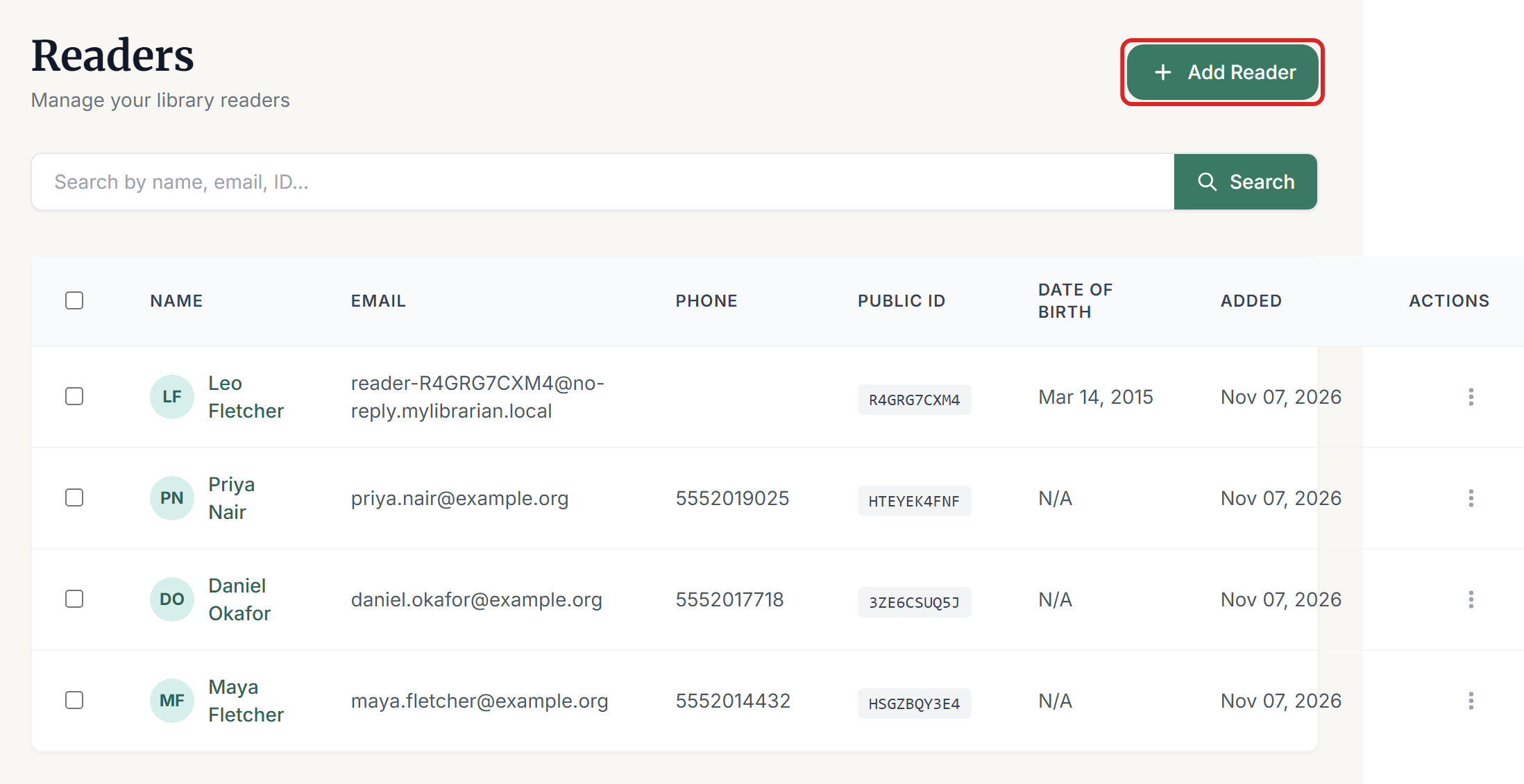
Select Readers in the left menu, then select Add Reader.
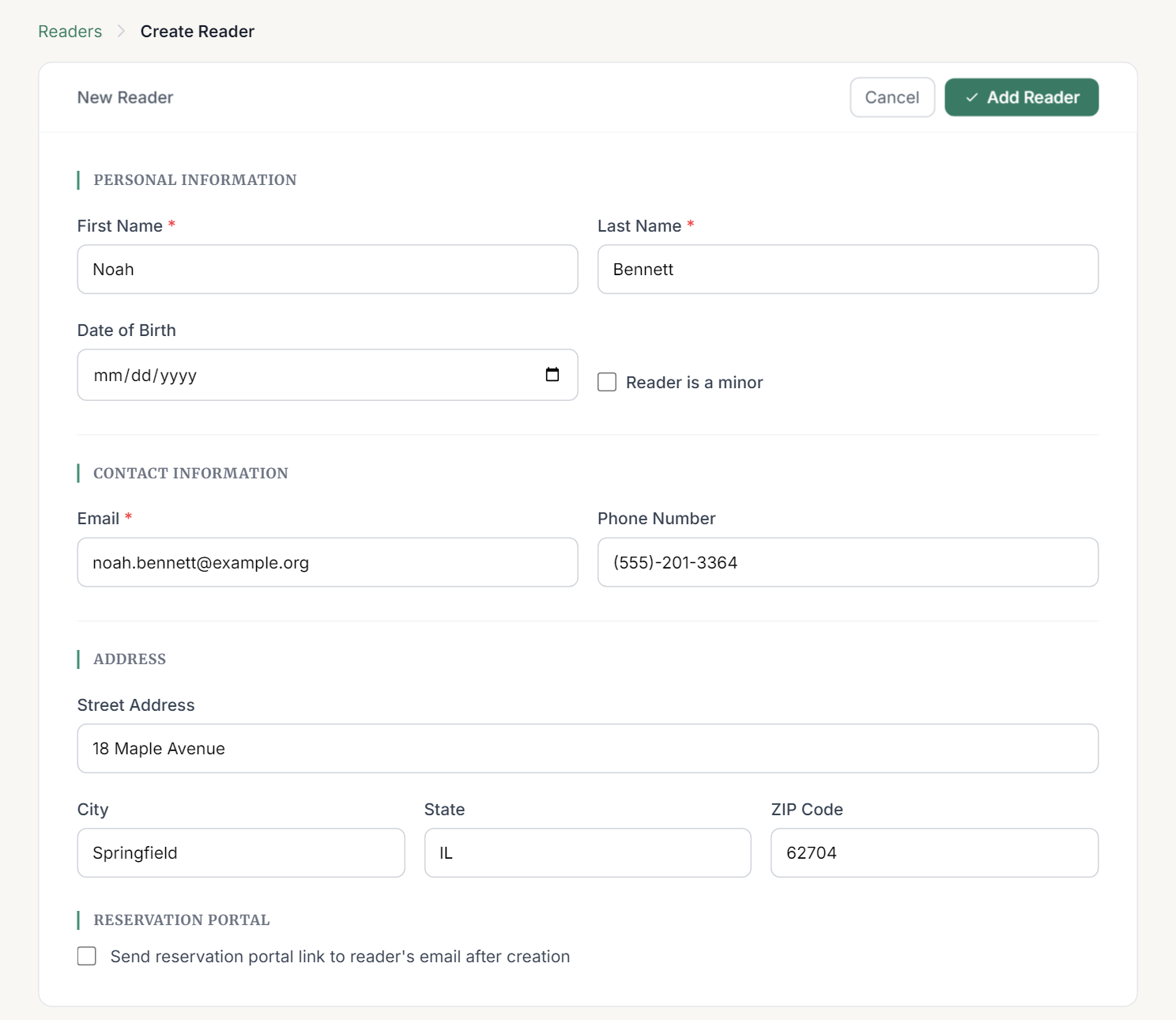
Enter the reader's First Name, Last Name and Email. These are the only required fields for an adult.
Fill in anything else you have: Date of Birth, Phone Number and address. You can add these later too.
If the reader wants to reserve books online, tick Send reservation portal link to reader's email after creation.
Select Add Reader.
You return to the Readers list, where the new reader appears at the top. Their Public ID and QR code are created for you.
Adding a child
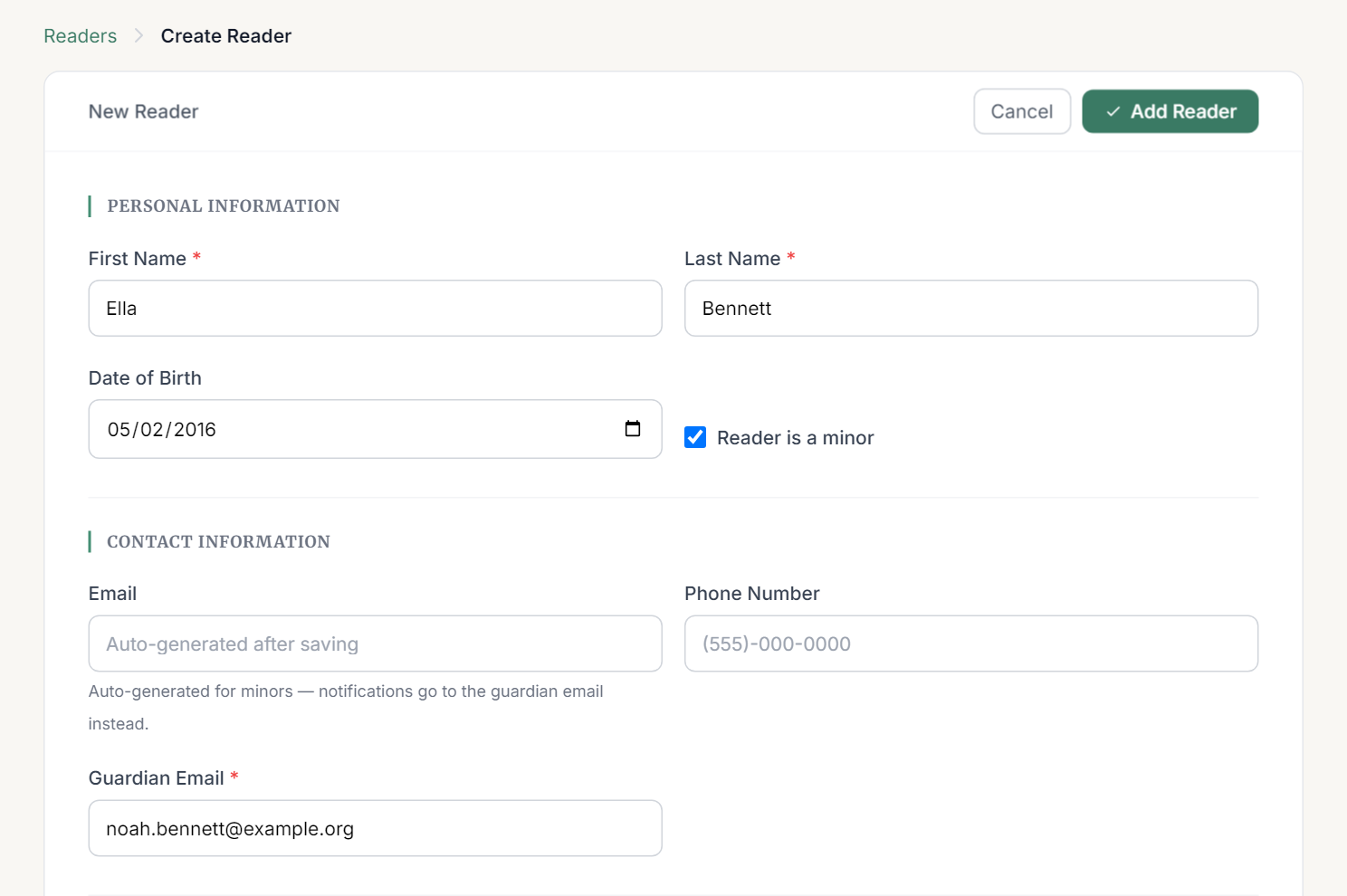
Enter a Date of Birth for anyone under 18 and Reader is a minor is ticked for you. You can also tick it yourself.
For a minor, the form changes:
- Guardian Email appears and is required.
- Email is locked, because the system generates a placeholder address. Notifications go to the guardian instead.
After you save
Select the reader's name in the list to open their page. From there you can:
- Select Edit to change their details.
- Select Print to print their QR code.
- Select Send Reservation Portal Link if you didn't send it when you created them.

If something goes wrong
- "A reader with this email already exists." Each email can only be used once in a library. Search the Readers list, because this person may already be registered.
- "Enter a real email address for an adult reader." Adults need their own working email address.
- "Enter a 10-digit phone number, or the country code and number if outside the US." Check the number, or leave the field empty.
- "You have reached the maximum number of readers allowed by your subscription plan." You'll need to upgrade your plan under My Subscription before adding more readers.